You do not need to show your face to earn on YouTube.
Some of the biggest channels on YouTube have never shown a face. Millions of people watch documentaries, facts videos, money explainers, and science animations — and they never see the creator. The creator stays behind the camera, and the money still comes in.
Faceless channels are one of the easiest ways for a beginner in Pakistan to start. You do not need a camera. You do not need a studio. You do not need to be confident on camera. You can even start with only a phone.
This guide shows you the full system: what a faceless channel is, whether it can get monetized in Pakistan, the best niches, the exact 8 steps to start, the mobile-only workflow, the real costs in PKR, the real earnings in PKR, and an 18-day plan to launch.
Most guides about faceless channels are written for America or Europe. They talk about dollars, expensive tools, and laptops. This guide is different: every cost is in PKR, every step works on a phone, and every rule is checked against how YouTube actually pays creators in Pakistan.
Everything is in simple English. No false promises. No guaranteed income.
What Is a Faceless YouTube Channel?
A faceless YouTube channel is a channel where the creator never shows their face on camera.
Instead of a face, the video uses other things on screen:
- Stock video and photos — clips of places, people, and objects.
- Animations and motion graphics — drawings and moving text that explain an idea.
- Screen recordings — your computer or phone screen, for tutorials and reviews.
- AI images and AI video — pictures and clips made with AI tools.
- Text on screen — big, clear words that carry the message.
The voice is still there — your own voice, or a voiceover — but the face is not.
Why faceless channels work so well in Pakistan
- No camera needed. A phone is enough. You do not need to buy a camera, lights, or a microphone to start.
- No studio needed. You can record your voice in a quiet room at home. Many creators record in a small room with a blanket over the door to block noise.
- Privacy. Many people in Pakistan do not want their family, friends, or employer to know they run a YouTube channel. A faceless channel keeps your identity private.
- You can make videos in any language. Your audience does not care what you look like — they care what you teach them.
- You can run more than one channel. Once you learn the system, the same workflow works for a second or third channel in a different niche.
- It fits a job or studies. You can script and edit at night, after work or university. There is no filming schedule to keep.
Can a Faceless Channel Get Monetized in Pakistan?
Yes. A faceless channel follows the exact same rules as any other channel.
To join the YouTube Partner Program in Pakistan, you need:
- 1,000 subscribers, and
- 4,000 watch hours in the last 12 months — OR 10 million Shorts views in the last 90 days, and
- A linked AdSense account, 2-step verification on, and no active Community Guidelines strike.
YouTube does not ask to see your face. It checks your content, not your face.
For the full rules, payment, and tax details, read our complete guide: YouTube Partner Program in Pakistan.
One warning: the bar doubles in February 2027
YouTube announced in August 2026 that from 1 February 2027, new applicants will need 1,000 subscribers plus 8,000 watch hours in 365 days (was 4,000) — or 20 million Shorts views in 90 days (was 10 million). Creators who are already in the Partner Program are not affected.
The message is simple: start now. Every month you wait, the target gets further away. A channel started today can reach the old target before February 2027. A channel started in March 2027 must hit double.
Best Faceless YouTube Niches for Pakistan
Your niche is the topic of your channel. Pick one niche and stay with it. A channel about everything grows slowly. A channel about one thing grows fast, because YouTube knows exactly who to show it to.
Here are 10 niches that work well for faceless channels in Pakistan:
| Niche | Video format | RPM level | Why it works in Pakistan |
|---|---|---|---|
| Money & business stories | Stock footage + narration | High | Business stories get high-paying ads; Pakistanis love success stories |
| Facts & explainers | Animation + voiceover | Medium | Easy to make, huge search demand, works in English and Urdu |
| Science & space | Animation + voiceover | Medium | Evergreen topics; videos keep getting views for years |
| History documentaries | Stock footage + narration | Medium | Strong watch time; older audiences watch long videos |
| Tech tips & reviews | Screen recording | High | Tech ads pay well; screen recording needs no camera |
| Health & fitness tips | Stock footage + text | Medium | Huge audience; simple videos, easy to script |
| Islamic reminders & stories | Text + narration | Low–Medium | Very large audience in Pakistan; low competition in good quality |
| Sports highlights & analysis | Clips + voiceover | Medium | Cricket and football have a massive Pakistani audience |
| Cooking & recipes | Top-down filming (hands only) | Medium | No face needed — hands and food are the star |
| Study & motivation | Text + stock footage | Low–Medium | Students are a huge audience; easy to produce daily |
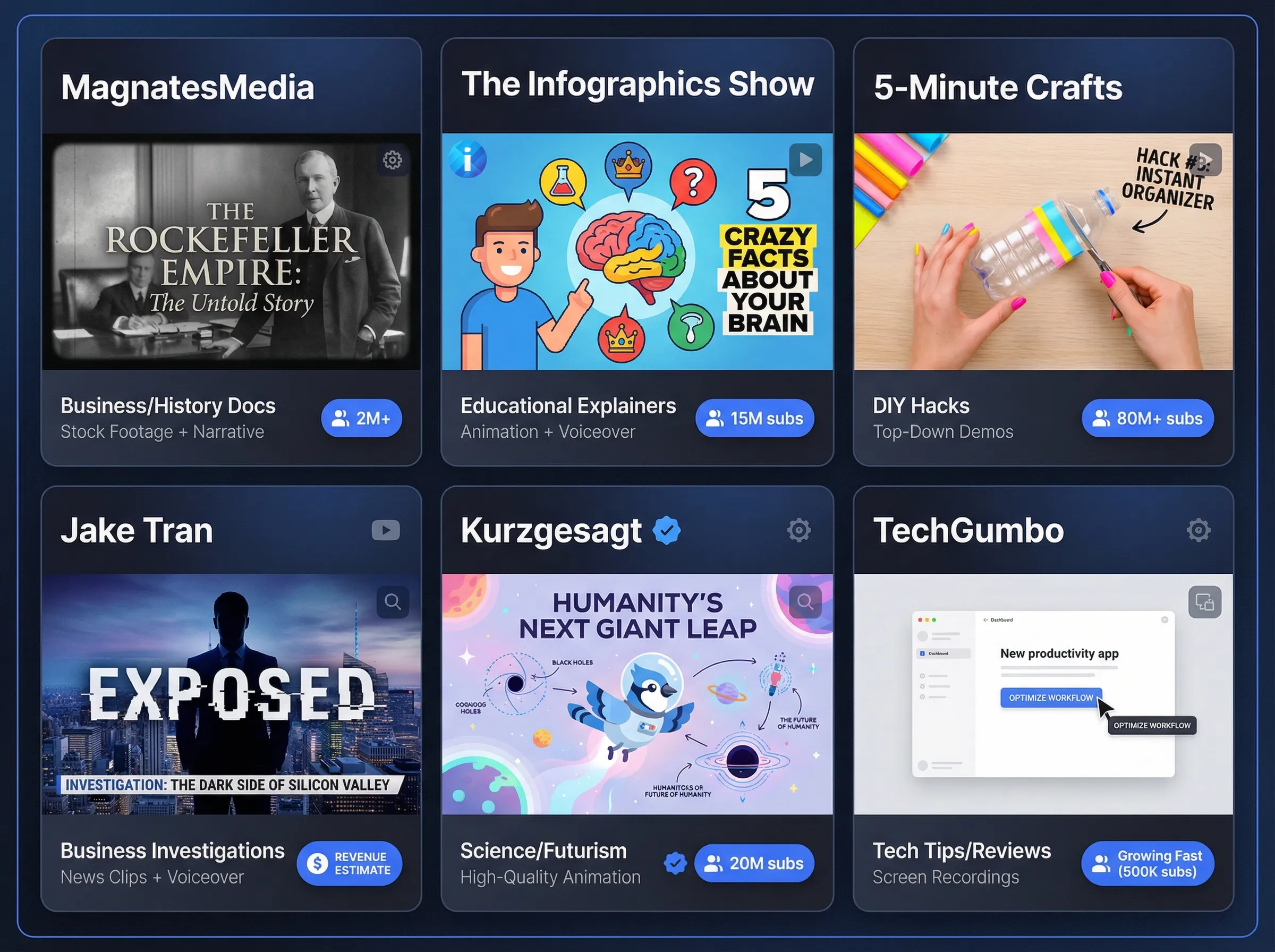
RPM level means how much advertisers pay per 1,000 views. “High” niches (money, business, tech) pay more per view. “Low” niches pay less per view but often get more views. Do not pick a niche only for RPM — pick one you can make 50 videos about without getting bored.
Want the deep niche list with full selection steps? Read our niche guide: Faceless YouTube Channel — Niche Selection Complete Guide.
How to Start a Faceless Channel — Step by Step
Here are the 8 steps, in order. Do not skip step 1.
Step 1: Pick ONE niche
Pick one niche from the table above. Ask three questions:
- Can I make 50 videos about this topic?
- Do people search for this topic on YouTube?
- Am I interested enough to keep going for 6 months?
If the answer to all three is yes, that is your niche. Write it down. Do not change it for 6 months.
Step 2: Set up your channel
Create a Google account and a YouTube channel. Then set it up properly:
- Channel name: short, easy to remember, related to your niche.
- Logo: a simple icon or your channel’s first letter — free tools like Canva can make it.
- Banner: one clean image with your channel name and what you teach.
- About section: 2–3 lines — who the channel is for, what they will learn, how often you upload.
A finished channel looks serious. An empty channel looks like a hobby. Finish the setup before your first video.
Step 3: Write the script
Every faceless video starts with a script. Never record without one.
A good script has three parts:
- Hook (first 15 seconds): the most interesting line of the video. Example: “This man lost everything — then built a business worth billions.”
- Body: 3–5 points, each explained in simple words, one after another.
- Ending: a short summary and one line asking viewers to subscribe.
Write the script the way people speak, not the way books are written. Read it out loud. If a sentence sounds strange when you say it, rewrite it.
Step 4: Record the voiceover
You have three options:
- Your own voice: the best option. It is free, it sounds real, and YouTube trusts real human voices. Record in a quiet room, close to your phone. Speak slowly and clearly.
- AI voice: tools like ElevenLabs and Narakeet can read your script. Useful if you do not want to use your own voice — but check the quality. A robotic voice makes viewers leave.
- Text-to-speech (free): your phone’s built-in text-to-speech or free online tools. The quality is lower, but it costs Rs 0.
Important: your voiceover must be original. Do not copy another channel’s audio. That is reused content, and YouTube can reject your monetization for it.
Step 5: Add the visuals
Now match pictures and clips to your script:
- Free stock video: Pexels, Pixabay, and Coverr have free clips you can use.
- AI images: tools like Leonardo AI and Midjourney can make pictures for your topic.
- Screen recording: for tech and tutorial videos, record your screen — no camera needed.
- B-roll: extra clips that play while the voiceover talks. B-roll keeps the video moving so viewers do not get bored.
Rule: change the visual every 5–10 seconds. A single still picture for 2 minutes makes viewers leave.
Step 6: Edit the video
Editing is where a faceless video becomes watchable. Use CapCut — it is free, it works on phone and computer, and it has everything a beginner needs: cut, text, transitions, music, and subtitles.
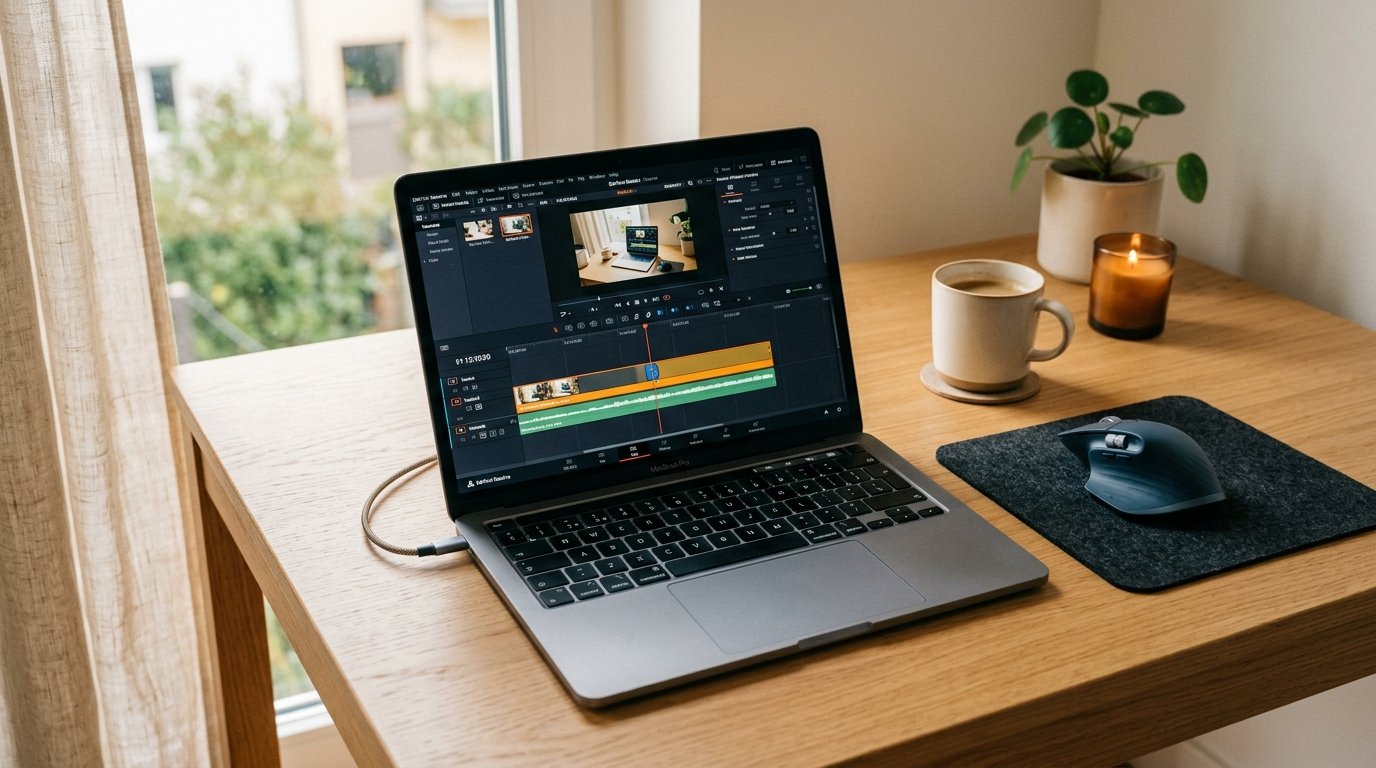
Your editing checklist for every video:
- Cut all pauses and mistakes from the voiceover.
- Add captions or text on screen for the key points.
- Add background music at low volume (royalty-free only — from the YouTube Audio Library).
- Add a simple intro (3–5 seconds, not 30 seconds).
- Export in 1080p.
Step 7: Make the thumbnail
The thumbnail decides the click. A good title with a bad thumbnail gets no clicks.
- One clear image — the most interesting picture from your video.
- 3–5 words only — big, bold, high contrast.
- One emotion or one surprise — a question, a number, or a shocking fact.
- Same style every time — same colours, same font. Viewers should recognize your thumbnail before reading it.
Make thumbnails in Canva (free) on your phone or computer.
Step 8: Upload and optimize (SEO)
Upload the video and fill in everything:
- Title: main keyword near the start + a promise. Example: “5 Business Lessons from the Richest Man in Pakistan (2026)”.
- Description: first 2 lines repeat the keyword and say what the viewer will learn.
- Tags: 3–5 specific tags.
- Chapters: add them for videos over 3 minutes.
- Playlist: add the video to the right playlist.
- End screen: link to your next video.
For the full SEO system, read: YouTube SEO: How to Rank Your Videos in Pakistan.
Faceless Channel on Mobile Only
Most beginners in Pakistan do not have a laptop. Good news: you can run a whole faceless channel from your phone.
Here is the mobile-only workflow:
| Task | Free app | What to do |
|---|---|---|
| Script | Google Docs app | Write the script on your phone |
| Voiceover | Voice Recorder app | Record in a quiet room, phone close to your mouth |
| Stock video & images | Pexels / Pixabay app | Download free clips and pictures |
| AI images | Leonardo AI (browser) | Make pictures for your topic |
| Editing | CapCut app | Cut, add text, music, subtitles — all on your phone |
| Thumbnail | Canva app | Make the thumbnail with a template |
| Upload | YouTube Studio app | Upload, add title, description, tags, chapters |
| Analytics | YouTube Studio app | Check CTR and retention after every video |
Tips for mobile-only creators:
- Record voiceover at night, when the house is quiet.
- Edit in small parts — 5 minutes at a time — so your phone does not slow down.
- Keep your phone charged and your storage free. Delete old project files after export.
- A cheap phone stand (PKR 300–500) and a small tripod make top-down filming easy for cooking or DIY videos.
You do not need a laptop to start. Start with your phone. Buy a laptop later, from your channel’s earnings — not before.
How Much Does a Faceless Channel Cost in Pakistan?
You can start a faceless channel for Rs 0. Here is the honest comparison:
| Item | Rs 0 DIY route | Paid route |
|---|---|---|
| Script | Write it yourself | PKR 500–1,500 per script (freelancer) |
| Voiceover | Your own voice (free) | PKR 1,000–3,000 per video (AI voice tools or voice artist) |
| Visuals | Free stock video (Pexels, Pixabay) | PKR 1,000–2,000/month (stock sites or AI image tools) |
| Editing | CapCut free | PKR 1,500–5,000 per video (video editor) |
| Thumbnail | Canva free | PKR 300–800 per thumbnail (designer) |
| Total per video | Rs 0 | PKR 2,300–10,000 per video |
Our advice: start with the Rs 0 route. Learn the whole system yourself first. You will make better decisions later about what to outsource — and you will know if an editor is doing a good job.
If you want to outsource everything, that is called automation. The full cost breakdown is here: YouTube Automation: Complete Guide for Pakistan.
CTA — YouTube 18 Days Formula. The full faceless system — niche, scripts, voiceover, editing, thumbnails, SEO, monetization — is taught step by step inside the YouTube 18 Days Formula. You get 13 modules and 9+ hours of training, with lifetime access and WhatsApp support (0314-5963891), for PKR 3,900 (was PKR 5,800). The course gives you the system, the templates, and the support — but remember, no course can give you guaranteed income or guaranteed views. Your result depends on your hard work, consistency, and content quality. Join now: Junaidyt.com — YouTube Growth Program
How Much Can a Faceless Channel Earn?
Earnings depend on your views, your niche, and where your audience lives. For a Pakistani audience, RPM is usually $0.20–$1.50 per 1,000 views — about PKR 56–420.
| Views | Earnings range (PKR) |
|---|---|
| 1,000 views | PKR 56–420 |
| 10,000 views | PKR 560–4,200 |
| 100,000 views | PKR 5,600–42,000 |
| 1,000,000 views | PKR 56,000–420,000 |
These are ranges, not promises. A money or business channel earns at the high end. A motivation channel earns at the low end. US or UK audiences pay 10–20 times more than a Pakistani audience — which is why some creators make videos in English for a global audience.
There is no fixed salary on YouTube. You earn only when people watch. For the full breakdown of all 7 ways to earn — ads, sponsorships, affiliate marketing, and more — read: How to Earn Money from YouTube in Pakistan.
18-Day Faceless Channel Plan
Here is your launch plan. Eighteen days, six videos, one working channel.
| Days | Work |
|---|---|
| Days 1–3 | Pick your niche. Set up the channel: name, logo, banner, About section. Write your first 10 video ideas from real YouTube searches. |
| Days 4–6 | Write the script for video 1. Record the voiceover. Find the visuals. Edit it in CapCut. Make the thumbnail. Upload video 1. |
| Days 7–9 | Make videos 2 and 3 the same way — one script, one voiceover, one edit per day. Upload both. |
| Days 10–12 | Check YouTube Studio. Which video got the most impressions? Which thumbnail got clicked? Make video 4 about the topic that worked best. |
| Days 13–15 | Make videos 5 and 6. Cut 2 Shorts from your long videos and upload them — Shorts bring new subscribers fast. |
| Days 16–18 | Review everything. Fix your thumbnails if CTR is low. Write your next 10 video ideas. Plan your next month: 2 videos per week, every week. |
After 18 days you will have 6 videos, 2 Shorts, a finished channel, and real data. That is more than most people achieve in 6 months — because most people never start.
CTA — YouTube 18 Days Formula. This 18-day plan is the start. The YouTube 18 Days Formula teaches the whole system behind it — niche selection, scripting, voiceover, editing, thumbnails, SEO, Shorts, and monetization — in 13 modules and 9+ hours of training, with lifetime access and WhatsApp support (0314-5963891), for PKR 3,900 (was PKR 5,800). You get the system, the templates, and the support — but your result depends on your hard work and consistency. There is no promise of guaranteed income or guaranteed views. Join now: Junaidyt.com — YouTube Growth Program
7 Mistakes That Kill Faceless Channels
Most faceless channels fail for the same 7 reasons. Avoid them and you are already ahead of 90% of beginners.
- Reused content: You downloaded other people’s videos and re-uploaded them with no original value. YouTube rejects these channels for monetization. Fix: only upload videos with your own script, voice, and editing.
- AI slop: Dozens of near-identical AI videos with the same template, no research, and no real script. Viewers leave in 10 seconds, and YouTube stops recommending the channel. Fix: slow down. Make fewer videos, but make each one properly researched.
- No script: You open the editor and “see what happens”. The video has no structure, no hook, and no point. Fix: write the script first, every time.
- Boring voiceover: A flat, sleepy, or robotic voice. Viewers do not finish the video. Fix: speak with energy. Read the script out loud twice before recording.
- Bad thumbnails: Blurry screenshots, tiny text, or no thumbnail at all. Nobody clicks. Fix: one clear image, 3–5 big words, high contrast.
- Giving up after 5 videos: You uploaded 5 videos, got 50 views, and quit. Every big channel started with 50 views. Fix: commit to 50 videos before you judge the channel.
- Buying views or subscribers: Fake numbers are easy for YouTube to detect. They can get your channel rejected for monetization — or banned. Fix: never buy views. Grow real ones, slowly.
FAQs: Faceless YouTube Channel in Pakistan
1. Do faceless channels get monetized?
Yes. Faceless channels follow the same Partner Program rules as any channel: 1,000 subscribers and 4,000 watch hours (or 10 million Shorts views), plus AdSense and no active strike. YouTube checks your content, not your face.
2. Do I need to show my face at all?
No. Not once. Your voice, your script, and your visuals are enough. Many channels with millions of subscribers have never shown a face.
3. Can I start a faceless channel with only a phone?
Yes. Write the script in Google Docs, record the voiceover with the Voice Recorder app, edit in CapCut, make the thumbnail in Canva, and upload from the YouTube Studio app. No laptop needed.
4. How much money do I need to start a faceless channel?
Rs 0. Your own voice, free stock video, and CapCut cost nothing. You can add paid tools later, once the channel earns money.
5. Which niche is best for a faceless channel in Pakistan?
The best niche is one you can make 50 videos about. Money and business stories pay the most per view; facts, science, and history get steady views for years. Pick the niche you enjoy — not just the one that pays most.
6. How long until a faceless channel starts earning?
It depends on your niche, your consistency, and your video quality. Most beginners who upload 2 videos a week reach the monetization target in 3–10 months. There is no fixed timeline and no guarantee.
7. Is AI voice allowed on YouTube?
Yes, AI voice is allowed — but the content must be original and valuable. A good script read by an AI voice can get monetized. A copied script read by an AI voice will not. Your own voice is still the safer and more trusted option.
8. Can I use AI videos on my channel?
Yes, you can use AI-generated images and clips as part of your video. But the video must have original value — your own script, your own voiceover, your own editing. A channel of pure AI clips with no human input can be rejected for monetization.
9. Do faceless channels earn less than face channels?
Not always. Earnings depend on your niche, views, and audience — not on whether you show your face. Some of the highest-earning channels on YouTube are faceless. Face channels have one advantage: viewers connect with a person. Faceless channels have a different advantage: they are easier to scale and outsource.
10. What changes for faceless channels in February 2027?
The same change as for all channels: from 1 February 2027, new applicants need 1,000 subscribers plus 8,000 watch hours in 365 days (was 4,000) or 20 million Shorts views in 90 days (was 10 million). Existing partners are not affected. Start now, so you apply under the old rules.
Disclaimer: The information in this guide is for general learning. YouTube’s Partner Program policies, thresholds, and payment rules can change over time — including the February 2027 changes described above — so always check YouTube’s official Help pages before you apply. No course or guide can give you guaranteed views or guaranteed income — success depends on your hard work, consistency, and content quality.