You want to upload 3 videos a week.
But one video takes you 6 hours. Two hours to write the script. One hour to record your voice. Two hours to edit. One hour for the thumbnail and upload. And you have a job. Or university. Or a family to look after.
So you upload one video. Then nothing for two weeks. Then you quit — and you tell yourself “YouTube is not for me.”
It was never about talent. It was about time.
YouTube automation tools fix the time problem. They write your script in 10 minutes. They speak your voiceover for you. They cut your video while you sleep. They design your thumbnail in 2 minutes. They find the keywords people actually search for.
This guide shows you the best YouTube automation tools in Pakistan — free and paid, with real prices in PKR — so you can build your channel on your phone, starting from Rs 0.
What Are YouTube Automation Tools — and What Can’t They Do?
A YouTube automation tool is software that does one job of video-making for you — so you do not have to do it by hand.
One video has 7 jobs: research, script, voiceover, video, editing, thumbnail, and SEO/upload. A tool does one of these jobs — sometimes two or three — in minutes instead of hours. You still decide the topic. You still check the quality. The tool just does the heavy lifting.
Here is what tools cannot do: they cannot make people watch a boring video. They cannot give you subscribers while you sleep. And any tool that promises “auto views” or “auto subscribers” is a scam — YouTube bans channels that buy views or use fake engagement bots. We will cover that danger later in this post.
The right way to think about it: tools give you your time back. Your brain still runs the channel.
How Do You Pick the Right Tool Without Wasting Money?
Before you pay for anything, ask yourself these 3 questions. Most beginners buy the wrong tool because they skip this step.
- What is your slowest step? If scripting takes you the longest, buy a writing tool. If editing eats your day, get an editing tool. Do not pay for a tool that fixes a problem you do not have.
- Can you start free? Almost every tool on this list has a free plan. Start free. Pay only when the free plan is too small for you.
- Phone or laptop? In Pakistan, most beginners work on a phone. CapCut, Canva, ChatGPT and YouTube Studio all work fully on a phone. A tool that needs a powerful laptop and coding skills is the wrong tool for you right now.
A simple rule: one tool per stage, not twenty. More tools means more logins, more bills, and fewer videos.
Best YouTube Automation Tools Compared — Free vs Paid
Here is the honest comparison. Prices are approximate — converted from USD at about PKR 280 per dollar — and they change, so check the tool’s own pricing page before you pay.
| Tool | Price (PKR) | Best For | Free Plan? |
|---|---|---|---|
| ChatGPT | Free (Plus ≈ PKR 5,600/mo) | Scripts, ideas, titles | Yes |
| CapCut | Free (Pro ≈ PKR 2,800/mo) | Editing on your phone | Yes |
| Canva | Free (Pro ≈ PKR 4,200/mo) | Thumbnails, channel art | Yes |
| ElevenLabs | Free 10,000 chars/mo (Starter ≈ PKR 1,400/mo) | AI voiceover | Yes |
| Narakeet | Free trial (paid ≈ PKR 1,700/mo) | Voiceover in Urdu + English | Trial |
| vidIQ | Free (Boost ≈ PKR 4,600/mo) | SEO, topics, titles | Yes |
| TubeBuddy | Free (Pro ≈ PKR 2,500/mo) | SEO, tags, thumbnail test | Yes |
| Pictory | From ≈ PKR 7,000/mo | Script to video | Trial |
| invideo AI | From ≈ PKR 5,600/mo | AI video drafts | Free tier |
| Opus Clip | Free trial (from ≈ PKR 4,200/mo) | Long video to Shorts | Trial |
| YouTube Studio | Free | Subtitles, chapters, analytics | Yes |
| Google Trends | Free | Topic research | Yes |
Paid tools make sense only when you are already uploading regularly and the free plan is slowing you down.
CTA — YouTube 18 Days Formula
Tools are only half the system. The other half is knowing what to make, in what order, and how to grow — niche, scripting, voiceover, editing, thumbnails, SEO, and monetization, taught step by step inside the YouTube 18 Days Formula. You get 13 modules and 9+ hours of training, with lifetime access and full support, for PKR 3,900 (was PKR 5,800).
The course gives you the system — but remember, no course can give you guaranteed income or guaranteed views. Your result depends on your hard work, consistency, and content quality.
Join the Course — See Full Details on JunaidYT.com
Join now: Junaidyt.com — YouTube Growth Program
The Best Tools for Every Stage of Your Video
1. ChatGPT — Scriptwriting and Ideas (Free)
ChatGPT is the starting point of almost every automated channel. You give it a topic, it gives you a script.
What it does for you: video ideas, full scripts, hooks, titles, descriptions, and even a table of voiceover + visuals for each scene. Ask it for “50 video ideas about faceless YouTube channels in Pakistan” and you get a month of content in 30 seconds.
Price in Pakistan: Free for basic use. ChatGPT Plus is about $20 a month — roughly PKR 5,600 — but you do not need it to start. The free version writes good scripts.
Pro tip: Do not just ask for “a script”. Ask for a table with 3 columns — Voiceover, Visual Scene, Duration. That forces the AI to plan the video for you, scene by scene.
Watch out: Always read the script before you record. AI sometimes invents facts. One wrong fact in your video can destroy your credibility.
2. CapCut — Video Editing on Your Phone (Free)
CapCut is the number one editing tool for Pakistani creators — because it is free, and it works fully on a phone.
What it does for you: cut clips, add auto-captions in one tap, add transitions, background music, text animations, and export in 1080p. The auto-caption feature alone saves you an hour per video.
Price in Pakistan: Free. CapCut Pro is about $10 a month — roughly PKR 2,800 — but the free version is enough for faceless videos.
Pro tip: Use CapCut’s “auto captions” for every video — most people in Pakistan watch on mute first, and captions make them stop scrolling.
3. Canva — Thumbnails and Channel Art (Free)
Your thumbnail decides whether anyone clicks. Canva makes thumbnails without any design skill.
What it does for you: ready-made YouTube thumbnail templates, channel banners, and end screens. Pick a template, change the words, add your image, done in 5 minutes.
Price in Pakistan: Free. Canva Pro is about $15 a month — roughly PKR 4,200 — and adds more templates and background removal. The free version has enough templates to start.
Pro tip: Use only 3–5 big words on a thumbnail, one clear image, and high contrast. Show it to a friend for 2 seconds — if they cannot tell what the video is about, make it again.
4. ElevenLabs — AI Voiceover That Sounds Human (Free to Start)
Bad audio kills a video faster than bad visuals. ElevenLabs fixes the “robot voice” problem — its voices sound almost human, with breathing, pauses and emotion.
What it does for you: paste your script, pick a voice, download the narration. You can even clone your own voice, so your channel always sounds like you — without recording every time.
Price in Pakistan: Free tier gives 10,000 characters a month (about 10 minutes of audio). Paid plans start at $5 a month — roughly PKR 1,400 — which is enough for 2–3 videos a week.
Free alternative: Narakeet also offers AI voices, including Urdu voices, with a free trial. CapCut’s free text-to-speech is another Rs 0 option for Shorts.
5. vidIQ — SEO, Topics and Titles (Free)
Automation is useless if you make videos nobody searches for. vidIQ tells you what people actually want to watch — before you make the video.
What it does for you: keyword scores, trending topics in your niche, AI title suggestions, and a check of your competitors’ best videos. It plugs straight into YouTube, so you see the data while you browse.
Price in Pakistan: Free Basic plan. The Boost plan is about $16.58 a month — roughly PKR 4,600 — and unlocks the AI title and description tools.
Pro tip: Before you record any video, check its keyword score in vidIQ. If the score is low, change the topic — not the thumbnail.
For the full SEO system, read: YouTube SEO: How to Rank Your Videos in Pakistan.
6. TubeBuddy — SEO and Thumbnail Testing (Free)
TubeBuddy is vidIQ’s biggest rival. It also lives inside YouTube as a browser extension and a mobile app.
What it does for you: keyword research, tag suggestions, best time to publish, and A/B testing — it shows two different thumbnails to real viewers and tells you which one gets more clicks.
Price in Pakistan: Free plan. Pro starts at about $8 a month — roughly PKR 2,500.
vidIQ or TubeBuddy? Both are good. Start with the free plan of either one. Pick the one whose screen you find easier to understand. You do not need both.
7. Pictory and invideo AI — Script to Video (Paid)
These tools turn a script into a finished video — stock footage, voiceover, captions and music, all assembled automatically.
What they do for you: paste your script, and Pictory or invideo builds the video for you. You only check it and fix the mistakes. One video takes 20–30 minutes instead of 3 hours.
Price in Pakistan: Pictory starts at about $25 a month — roughly PKR 7,000. invideo AI starts at about $20 a month — roughly PKR 5,600 — with a free tier for testing.
Honest advice: These tools are useful, but they are not magic. The stock footage sometimes does not match your script, and the video can look generic. For a beginner in Pakistan, CapCut + ChatGPT + your own voice gives you a better, more original video — for free. Pay for Pictory or invideo only when you are already earning and need to publish faster.
8. Opus Clip — Turn Long Videos Into Shorts (Free Trial)
One long video can become 5 Shorts. Opus Clip finds the best moments of your long video and cuts them into vertical clips automatically.
What it does for you: upload a long video, get short clips with captions, ready for YouTube Shorts, TikTok and Reels. Shorts bring new subscribers fast — this is the cheapest way to grow.
Price in Pakistan: Free trial, then paid plans from about $15 a month — roughly PKR 4,200.
9. YouTube Studio — The Free Tool You Already Have
YouTube Studio is free, and it is already on your phone. Most beginners ignore it — that is a mistake.
What it does for you: auto-subtitles in many languages, automatic chapters, the full analytics dashboard (which videos get clicks, where viewers leave), video scheduling, and the Community tab for promotion. YouTube Studio’s own subtitles are free and surprisingly good.
Price in Pakistan: Free, forever.
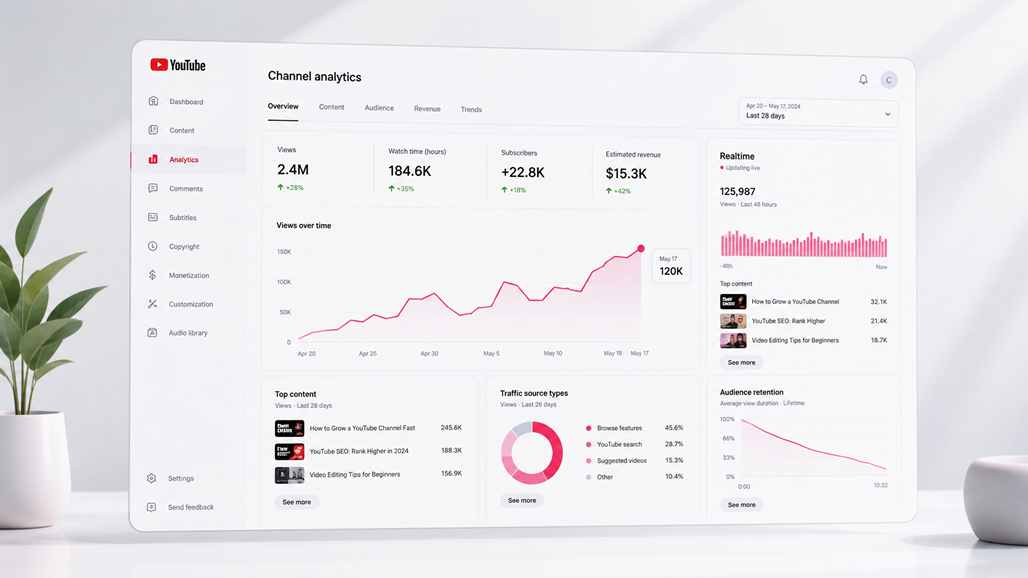
Pro tip: Check your analytics every week, not every day. Look at two numbers only: CTR (click-through rate) and average view duration. Low CTR means your title or thumbnail is weak. Low view duration means your video loses people early.

Your Rs 0 Automation Stack — Start Today Without Paying Anything
Here is the full stack for Rs 0 per month. It is what we recommend for every new creator in Pakistan:
| Stage | Tool | Cost |
|---|---|---|
| Ideas | YouTube Studio Trends + Google Trends + YouTube search suggestions | Rs 0 |
| Script | ChatGPT free | Rs 0 |
| Voice | Your own voice, recorded on your phone | Rs 0 |
| Editing | CapCut free (phone) | Rs 0 |
| Thumbnail | Canva free | Rs 0 |
| Scheduling | YouTube Studio Schedule | Rs 0 |
| Analytics | YouTube Analytics | Rs 0 |
| Total | Rs 0 |
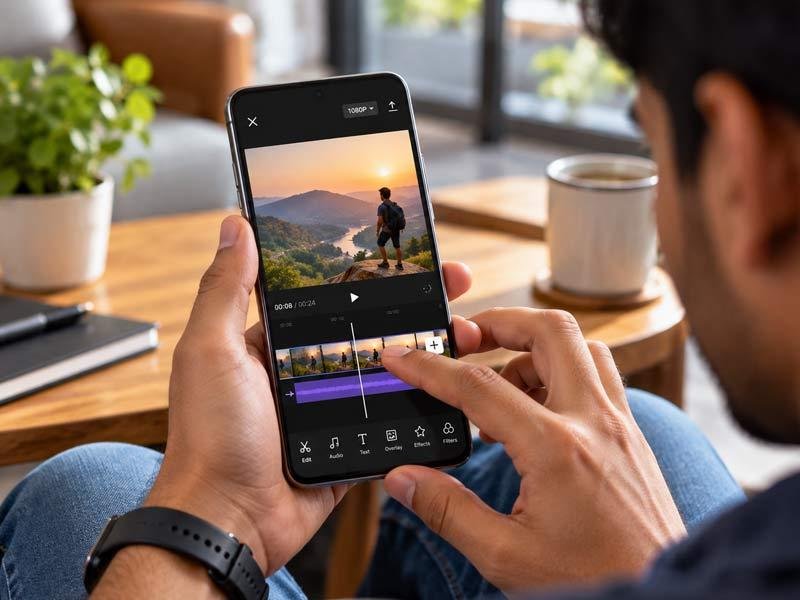
With this stack you can publish 2 to 3 videos a week. When one stage becomes slow, pay for that one tool only.
How Much Do YouTube Automation Tools Cost in Pakistan?
Pick the plan that fits your pocket — and your channel’s size.
Plan 1: Rs 0 — The Beginner (0 to 1,000 subscribers)
The Rs 0 stack above. Your only investment is time. This plan is enough until your channel starts earning.
Plan 2: ~PKR 3,000/month — The Serious Creator
ElevenLabs Starter (≈ PKR 1,400) for natural voice, Canva Pro (≈ PKR 1,400–2,800) for faster thumbnails, everything else free. Total: ~PKR 2,800–4,200/month. One paid tool for voice, one for thumbnails. That is all.
Plan 3: ~PKR 9,000/month — The Daily Publisher
ChatGPT Plus (≈ PKR 5,600) for faster scripts, ElevenLabs (≈ PKR 1,400) for voice, vidIQ or TubeBuddy (≈ PKR 2,200–2,500) for research and tracking, everything else free. Total: ~PKR 9,200/month. Only worth it if you publish 5 or more videos a week and the channel already earns more than this.
A hard rule: never spend more on tools than your channel earns. If your channel earns Rs 0, your tool budget is Rs 0.
Want the full system behind these tools — niche, content plan, SEO, and monetization, step by step? That is what the YouTube Automation Complete Guide teaches. And if you want to earn without showing your face, read the Faceless YouTube Channel Complete Guide.
Your First Automated Video in 7 Days
- Day 1 — Set up. Install CapCut and Canva on your phone. Open YouTube Studio, check the Trends tab, and pick one topic people are searching for.
- Day 2 — Script. Write the script with ChatGPT free — then rewrite it in your own words and check every fact.
- Day 3 — Voice. Record your own voice in a quiet room — or test ElevenLabs free plan on this one video.
- Day 4 — Edit. Edit in CapCut. Add automatic captions. Cut every silence and every “umm.”
- Day 5 — Thumbnail. Make the thumbnail in Canva. Three to five big words. One clear image.
- Day 6 — Upload. Upload, add title, description, and tags. Schedule it with YouTube Studio Schedule.
- Day 7 — Check. Open YouTube Analytics. Look at impressions, CTR, and watch time. Write down one thing to improve in the next video.
Repeat this for 4 weeks. After 8 to 12 videos, you will know exactly which stage is slow — and that is the only tool worth paying for.
CTA — YouTube 18 Days Formula
You can figure all of this out on your own — or learn the full system in 18 days instead of 18 months. The YouTube 18 Days Formula teaches niche, scripting, voiceover, editing, thumbnails, SEO, promotion, and monetization — 13 modules, 9+ hours, lifetime access, PKR 3,900 (was PKR 5,800).
5 Mistakes That Can Get Your Channel Rejected
- Automating the topic choice. A tool can suggest a keyword. Only you can judge whether the video will be good. Channels that publish whatever the tool suggests end up with 50 random videos and no audience.
- Trusting AI facts. AI tools invent prices, dates, and quotes. Check every number in your script. One wrong fact can destroy trust.
- Using reused or stolen clips. YouTube’s July 2025 inauthentic-content rule targets mass-produced, low-effort videos made from reused clips. If your “automation” is re-uploading other people’s clips with an AI voice, your channel can lose monetization — even if you used expensive tools.
- Forgetting the February 2027 change. From 1 February 2027, new applicants to the YouTube Partner Program need 1,000 subscribers and 8,000 watch hours (was 4,000) or 20 million Shorts views (was 10 million). Existing partners are not affected. The bar is higher now, so your videos must be better — low-quality automated videos will struggle more than ever.
- Buying subscribers, views, or watch time. No tool can sell you real growth. Paid views do not watch, do not subscribe, and can get your channel removed from the Partner Program. Every “automation” service that promises 1,000 subscribers in a week is selling you a ban.
FAQs: YouTube Automation Tools in Pakistan
1. What are the best free YouTube automation tools?
YouTube Studio (ideas, scheduling, analytics), ChatGPT free (scripts), CapCut free (editing and voice), Canva free (thumbnails), and Google Trends (topic research). Together they cost Rs 0 and cover all 7 stages of making a video.
2. Is YouTube automation legal?
Using tools to make and schedule your own original videos is allowed. What is not allowed is re-uploading other people’s clips, mass-producing low-value videos, or buying views and subscribers.
3. Which AI voice is best for a faceless YouTube channel?
ElevenLabs is the most natural right now, from $5 a month (about PKR 1,400), with a free plan to test. CapCut’s free text-to-speech is a good Rs 0 option for Shorts. Your own voice is free and builds the most trust — try it first.
4. Can I automate YouTube on my mobile phone only?
Yes. CapCut, Canva, ChatGPT, and YouTube Studio all work on a phone. You can run the full Rs 0 stack from a phone in Pakistan. You need a computer only for tools like DaVinci Resolve or Descript.
5. How much do YouTube automation tools cost in Pakistan?
Rs 0 to start, with the free stack above. A serious setup is about PKR 2,800–4,200 a month (ElevenLabs + Canva Pro). A daily-publishing setup is about PKR 9,200 a month. Never spend more on tools than your channel earns.
6. Do automation tools help you get monetized faster?
No — tools do not change the requirements. You still need 1,000 subscribers and watch hours (8,000 hours from 1 February 2027 for new applicants, was 4,000). Tools help you publish more and better videos, which is what actually gets you there.
7. What is the best tool for YouTube Shorts automation?
CapCut free — automatic captions, templates, and text-to-speech, all on your phone. For ideas, use YouTube Studio Trends. For turning Shorts views into subscribers, make a long video on the same topic as your best Short and mention it by name in the Short.
8. Should I use vidIQ or TubeBuddy?
Both are good for keyword research. vidIQ is stronger for topic ideas and trends; TubeBuddy is stronger for thumbnail testing and bulk tools. Both have free plans — try both free for 2 weeks and keep the one you actually open every day.
Disclaimer: Prices in this post are approximate (November 2026, $1 ≈ PKR 280) and can change — always check the tool’s own pricing page before you pay. No tool, course, or guide can give you guaranteed income, guaranteed views, or guaranteed subscribers — success depends on your hard work, consistency, and content quality.